
Welcome to the “Lessi Learned” Newsletter!
This week’s newsletter is arriving with a two-day delay, as I took a few days off to recharge. Well, it was not exactly a recharge – I participated in the Megamarsch in Mallorca. The challenge: walking 50 kilometers in under 12 hours. But that is a story for another time.
It is now finally here, though without the usual proper introduction, as time did not quite allow for it this week. I trust you will still find the content valuable and worthwhile.
Enjoy the read.

Newsflash
Veeam Data Cloud for EntraID
Fresh from the Veeam Data Cloud release notes, a detail that is easy to overlook, which is why I would like to highlight it separately here:
Veeam Data Cloud for Microsoft Entra ID now supports backup and restore for organization contacts. In addition to users, groups, application registrations, and policies, users can now protect and recover their Entra ID contacts with the same flexibility and ease as other supported objects.
By the way, it is always worth taking a look at the release notes when using Veeam Data Cloud. Updates and new features are published approximately every two weeks, and they often contain valuable improvements and enhancements that can easily go unnoticed.
Link to: Release Notes
Veeam Backup for M365 with multiple application registrations
This is important if you are using Veeam Backup for Microsoft 365 with multiple application registrations. If you are not using multiple app registrations in your environment, you can skip the rest of this update:
Microsoft is changing how throttling limits are enforced starting March 1, 2026. These changes mean that having more than one app registration for the same backup use case will no longer provide performance benefits as throttling limits will be applied across all applications collectively. The result may be slower backups if multiple registrations are configured.
For all the details on what is changing and what actions you may need to take, please refer to the official article linked here: https://www.veeam.com/kb4821

Lessons learned
Enterprise Manager Database Mismatch Support in Veeam v13
This change can easily be overlooked, so here is a short heads-up:
Starting with Veeam Backup & Replication v13, the requirement to use the same database engine between Veeam Backup & Replication and Veeam Backup Enterprise Manager has been removed.
As a result, Enterprise Manager v13 can monitor VBR servers using either MSSQL or PostgreSQL, including mixed-version scenarios such as v13 EM (PostgreSQL) managing v12.3.x VBR (MSSQL).
Source: Veeam KB4409
Automate Veeam Defender Exclusions with Ben Thomas’ Script
In many support cases and customer requests, the main cause of backup slowdowns or failures is often missing Veeam antivirus exclusions, as recommended in Veeam KB 1999. While malware protection is essential, it can unintentionally impact backup and restore performance if exclusions aren’t configured correctly.

To address this, my colleague Ben Thomas has created a smart automation script that applies the necessary Defender exclusions for Veeam components. This reduces manual effort, prevents misconfigurations, and ensures smoother backup operations.
The script and full instructions are now available to the community on his blog.
Learn more here: https://bcthomas.com/2026/02/automating-veeam-defender-exclusions/

Feature of the day
Veeam Agent for Windows V13 & missed full backups
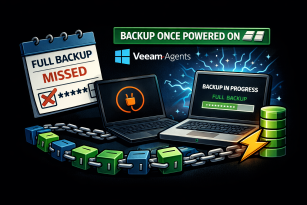
This time, we’re taking a look at a small—but highly valuable—feature in Veeam Agent for Windows:
One of the perennial challenges in protecting endpoint devices—especially laptops—is ensuring that scheduled full backups actually occur. In many environments, a device is simply powered off on the planned full backup day, meaning the synthetic full backup is skipped. Over time, this results in elongated backup chains, complicating retention and driving up storage consumption.
With Veeam Agents for Windows (starting in version 13), this inefficiency is directly addressed by the “Backup once powered on” option. When selected, this setting instructs the agent to initiate a missed scheduled backup immediately upon the next startup of the machine. This ensures that a missed periodic backup—whether full, incremental, or synthetic—is executed at the first opportunity instead of waiting for the next scheduled run.
Learn more here: Veeam Helpcenter
Thanks for reading
I hope you enjoyed this edition of my Lessi-Learned Newsletter. Thank you for reading!
Got feedback or something you want to see in the next edition? Leave a comment, write me on X (@lessi001) or connect at LinkedIn.
Want to get the newsletter hot off the press? Sign up for my mailing list and I’ll drop a note in your inbox as soon as the latest issue is ready: